
Settings & Troubleshooting
Settings
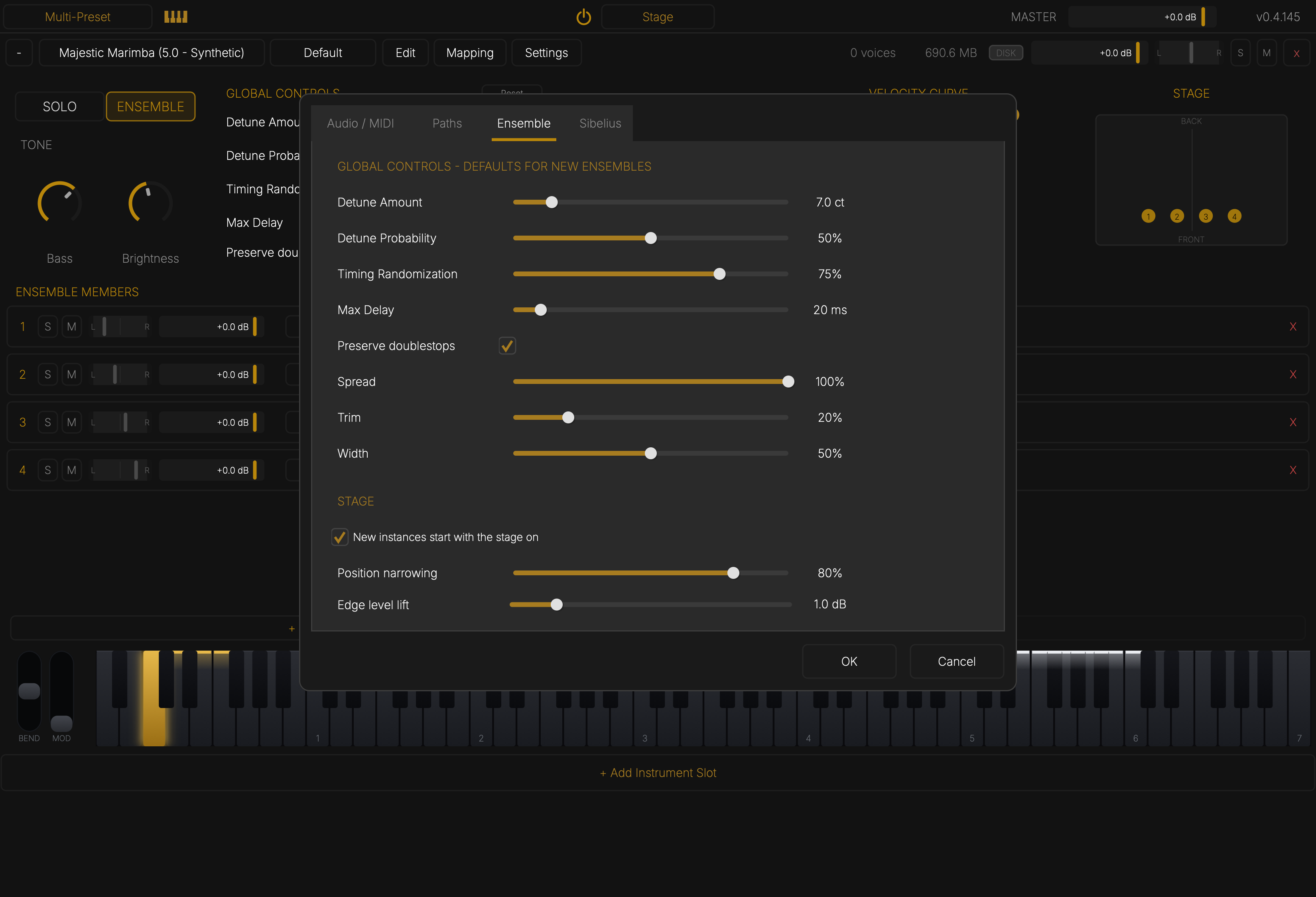
Click Settings in any slot header.
- Audio / MIDI — output device, sample rate, buffer size, UI scale, and which MIDI inputs the app listens to (the app only; a plugin gets its host's MIDI).
- Paths — where your instrument library lives.
- Ensemble — the starting values for new ensembles, and the stage: whether it starts on, how much players narrow away from the centre (Position narrowing), and how much louder players at the edges get (Edge level lift).
- Sibelius — MIDI programs and Sound IDs (see Sibelius).
Troubleshooting
A Sibelius staff is silent, or plays the wrong sound. Run Home ▸ Plug-ins ▸ Accent Tap ▸ Assign Accent Tap Instruments. If it names a staff, set that staff's Device to Accent Tap in the Mixer. Check the plugin's banner for the reason.
Nothing changes after installing or updating. Quit and reopen Sibelius — it reads the sound set and plugins only at launch.
An old score still plays its original instruments. It has to be converted once: Converting a Score.
The vibraphone keeps ringing with the pedal up. Choose the Pedal preset, and check the score has Ped. lines.
Notes crackle or drop out. Raise the buffer size in Settings ▸ Audio / MIDI. If the DISK light in the slot header flashes, raise Streaming Preload.
The library can't be found.
Point Settings ▸ Paths at the SamplerInstruments folder, or reinstall from the Hub.
My own instruments disappeared after a library update. Library updates replace the installed instruments. Keep your own in a separate folder.
Help
accenttap.com/support — include the version number from the top-right corner of the window.