
Playing an Instrument
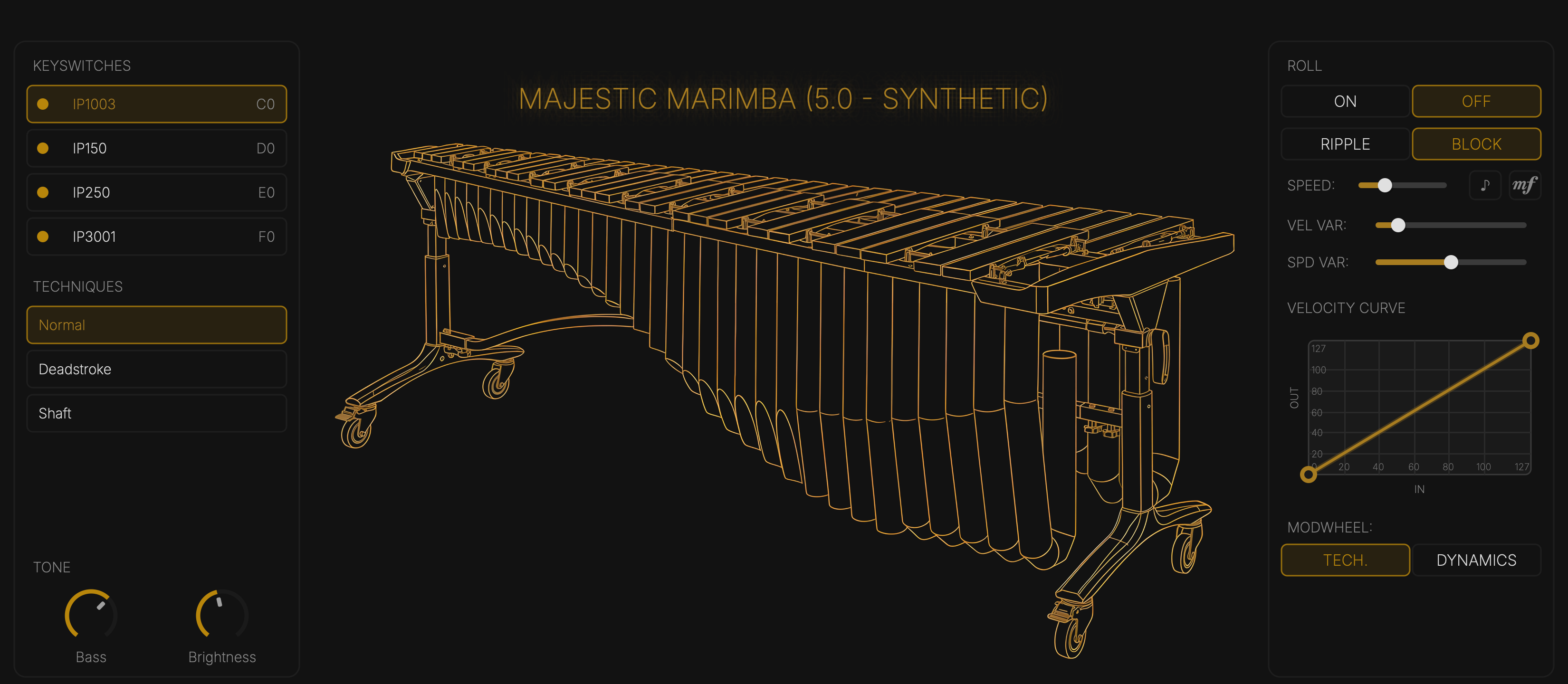
Mallets and techniques
- Keyswitches choose the mallet. Click one, or play its gold key.
- Techniques — Normal, Deadstroke, Shaft — on the marimbas, vibraphones and xylophone. Click one, or let the score choose (see Sibelius).
Tone
Bass and Brightness lift or cut the lows and highs.
Motor
Vibraphones only: switch the motor on and set its speed.
Roll
Hold notes and the roll re-strikes them.
- ON / OFF
- RIPPLE alternates the held notes; BLOCK strikes them together.
- SPEED, or ♪ to lock it to the tempo.
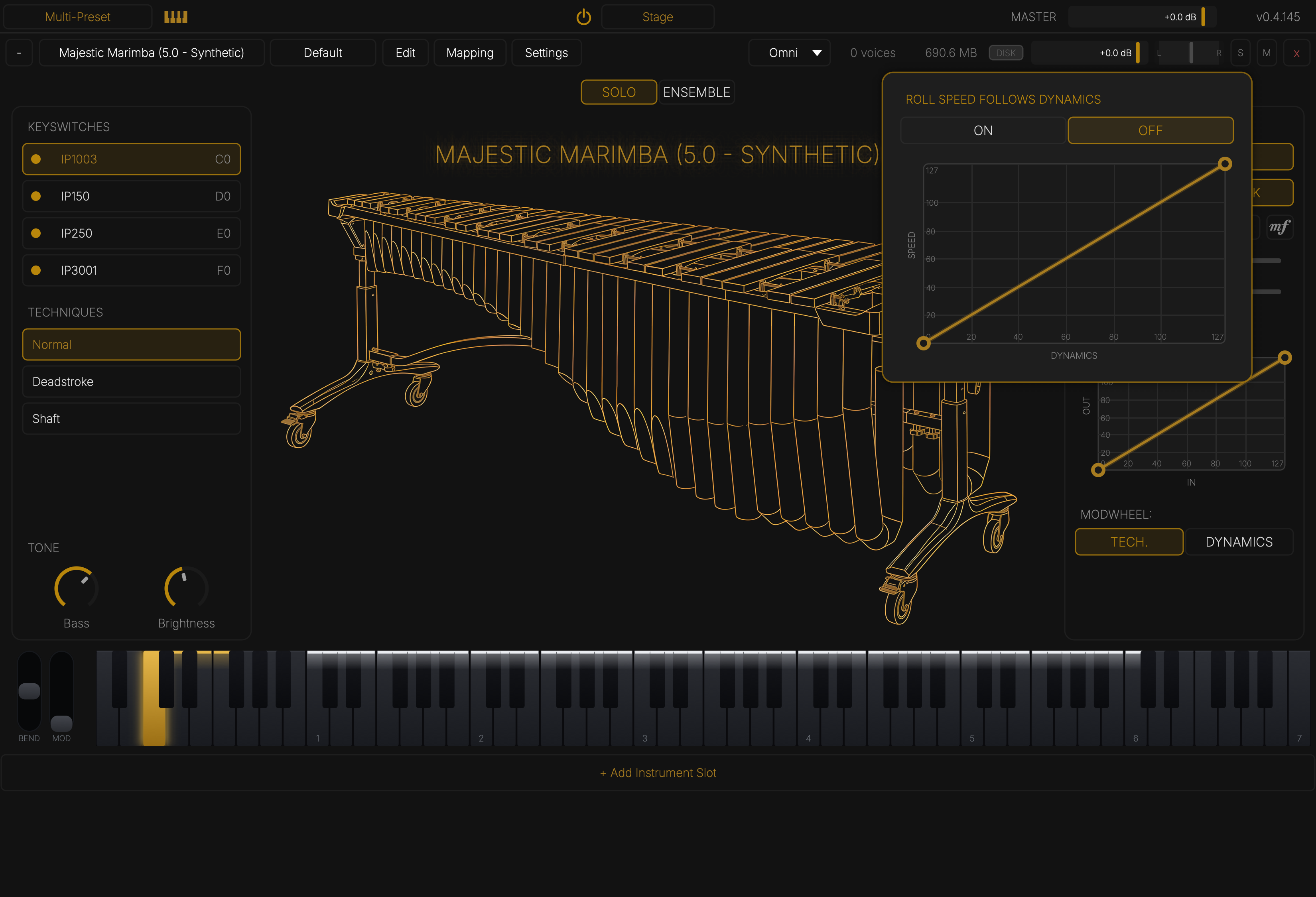
- mf — roll speed follows dynamics: louder rolls faster. Click it to switch it on and shape the curve.
- VEL VAR and SPD VAR loosen the strikes so they sound played, not programmed.
Velocity curve
Maps how hard you play (IN) to how hard the note strikes (OUT). Drag the end points to set the range; drag the line to bend it.
Mod wheel
- TECH. — the wheel steps through the techniques; the top of the wheel rolls.
- DYNAMICS — the wheel sets how loud a roll is.
Presets
The preset menu in the slot header recalls a complete setup. Save, Save as New Preset… and Delete keep your own. Multi-Preset in the top bar saves the whole rack — every slot and its settings.