Ensembles & the Stage
Ensembles
Click ENSEMBLE to turn a slot into a section of up to 16 players. Each member listens to its own MIDI channel — in Sibelius, one staff each.
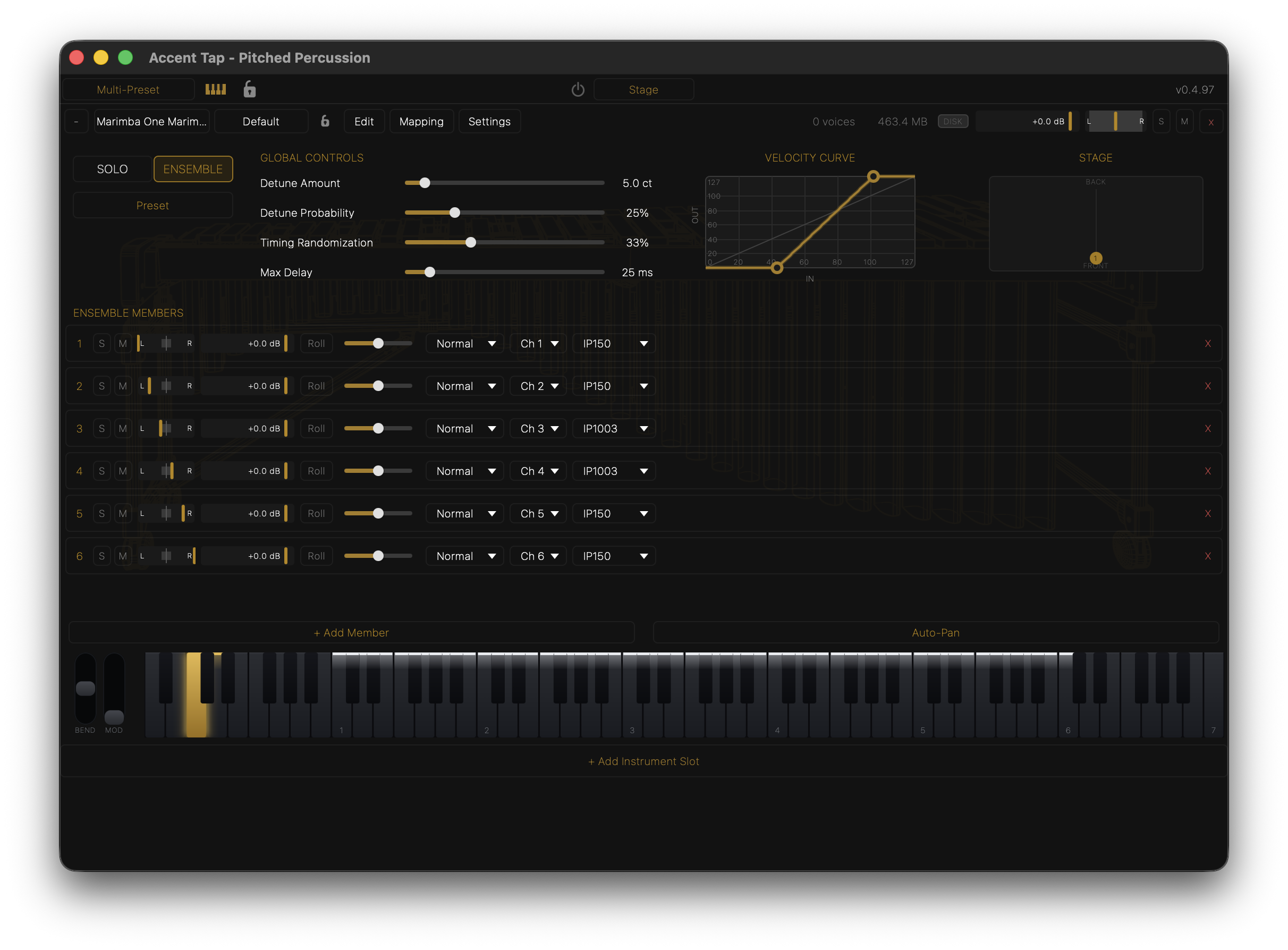
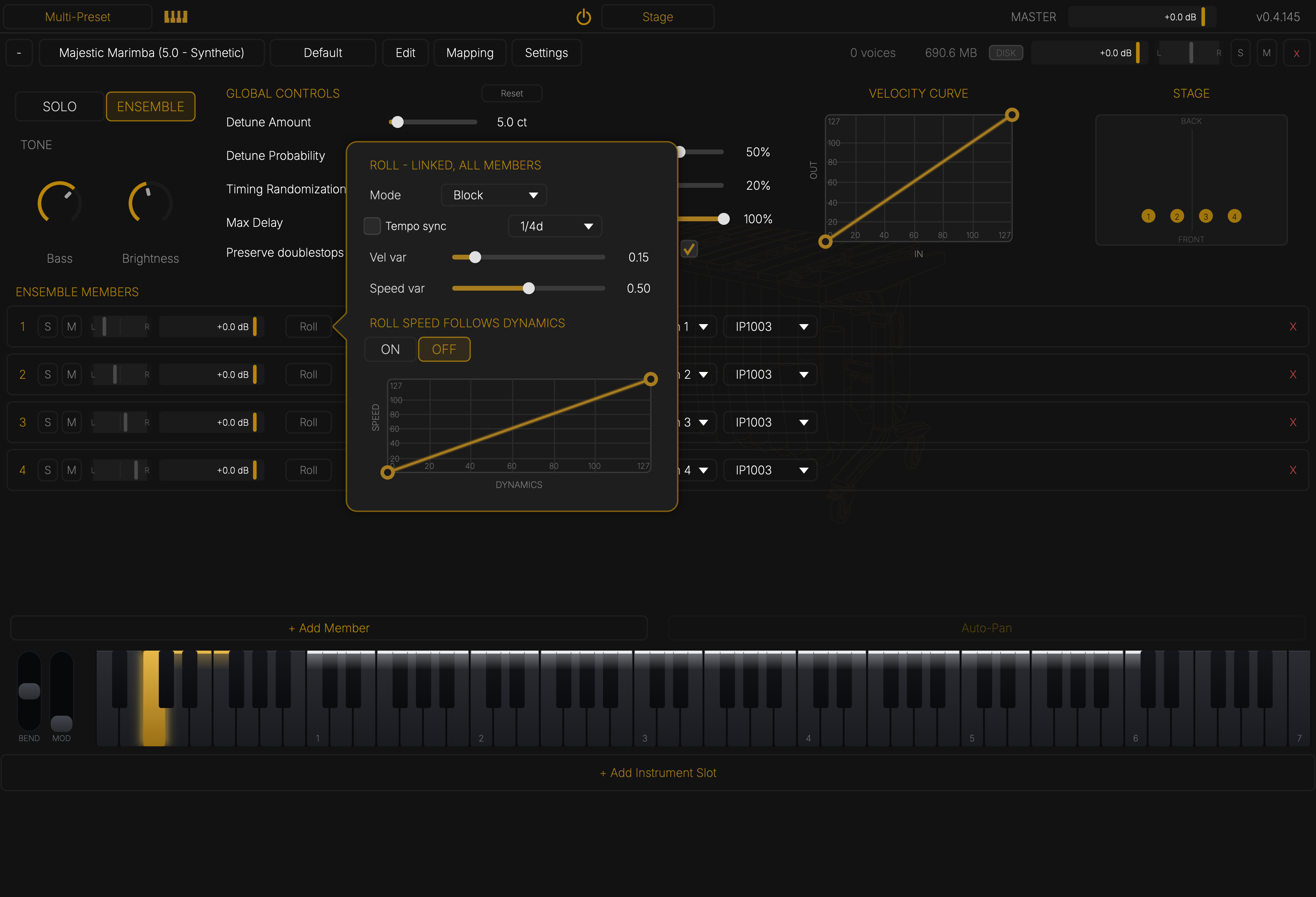
Each member row: solo, mute, pan, volume, Roll (click to switch; hold for the roll settings), roll speed, MW Function, technique, MIDI channel, and mallet.
Global controls make the section sound human:
- Detune Amount / Probability — how far, and how many notes, drift in pitch.
- Timing Randomization / Max Delay — how many notes land late, and by how much.
- Preserve doublestops — keeps both notes of a double stop together.
- Spread — how wide the members sit across the stage.
- Trim — keeps a bigger section from simply getting louder.
- Width — the stereo width of every member.
- Ignore MIDI pan — leaves placement to the stage rather than the score.
- Reset — back to the defaults in Settings ▸ Ensemble.
+ Add Member adds a player; Auto-Pan spreads them evenly.
The Stage
Click Stage in the top bar. Drag each player to place it. You are at the front.
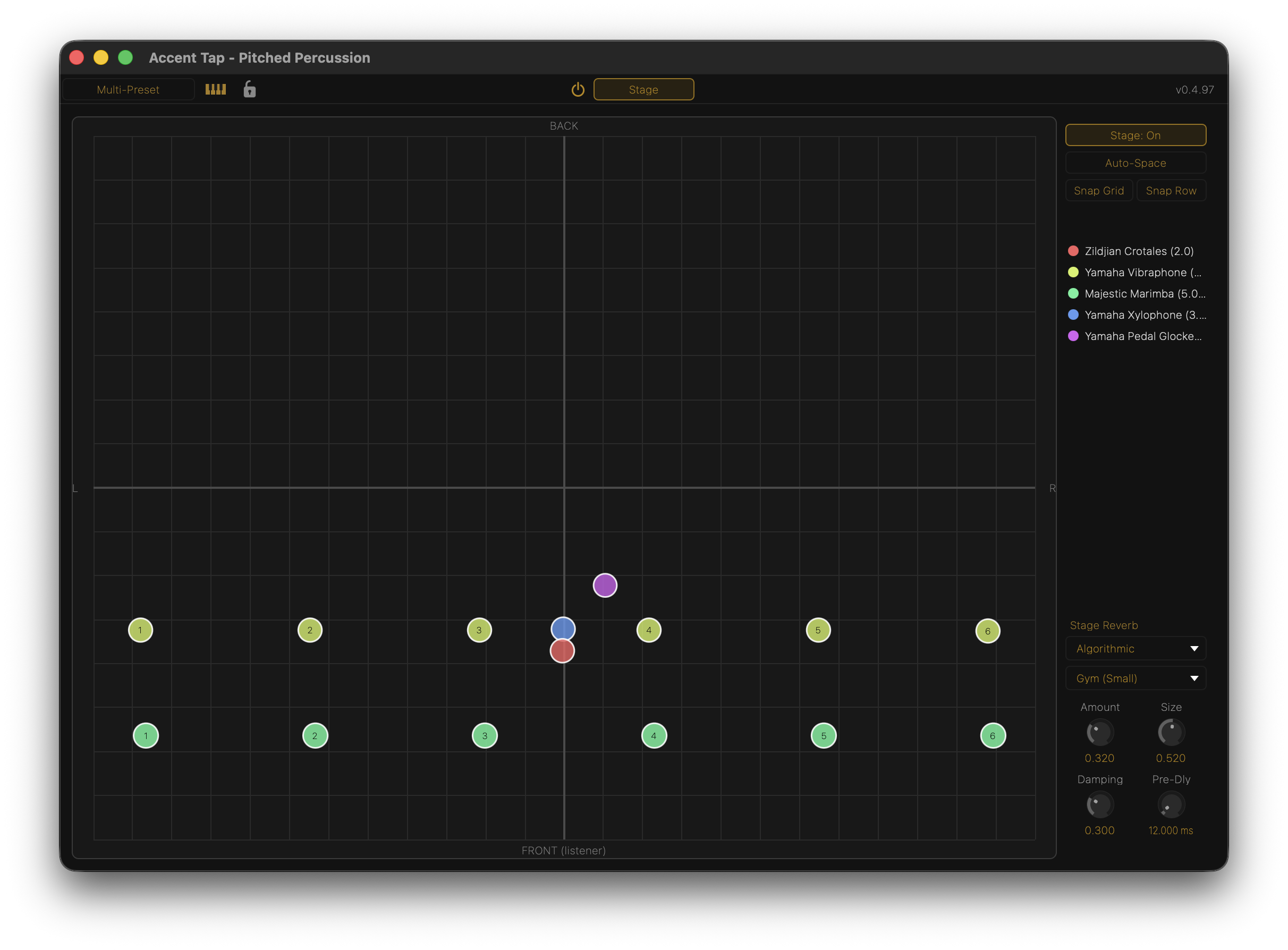
- Left–right is pan.
- Front–back is distance: further back is quieter, narrower, darker and wetter.
- Auto-Space spreads players evenly. Drag a box around some to space just those.
- Snap Grid and Snap Row line players up.
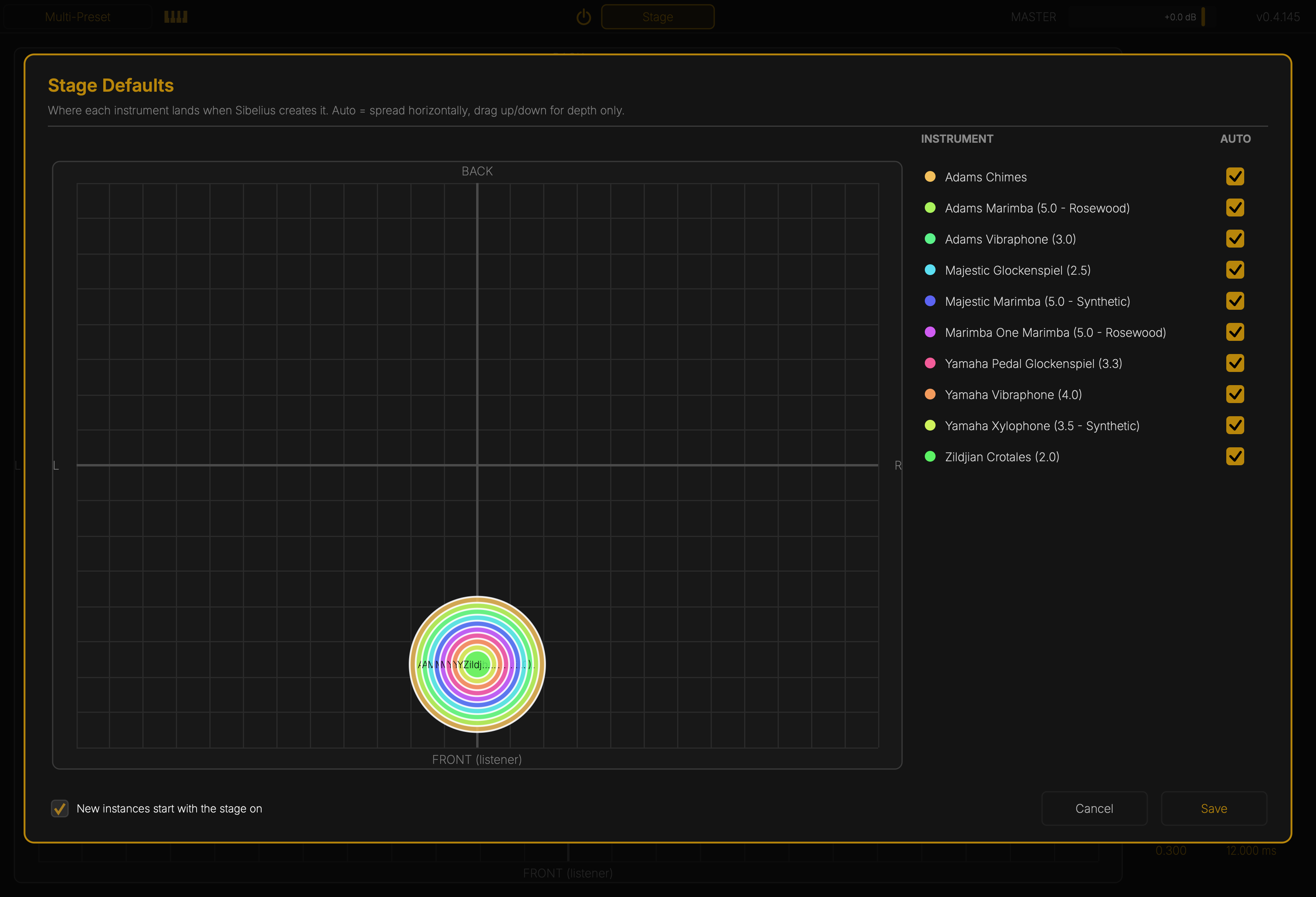
- Defaults… sets where each instrument starts when Sibelius creates it.
- Stage Reverb is the room everyone shares. Distance decides how much of it each player gets.
The power button beside Stage turns the stage on and off everywhere.