Instruments
Pitched Percussion
Versatile, clear, modern percussion samples.
Installs through the Accent Tap Hub · macOS
Not sure yet? Try it free for 7 days — start the trial in the Hub.
The Instruments
Ten concert instruments, sampled in detail.
- Marimba One 5.0 Octave Rosewood Marimba
- Adams 5.0 Octave Rosewood Marimba
- Majestic 5.0 Octave Synthetic Marimba
- Yamaha 4.0 Octave Vibraphone
- Adams 3.0 Octave Vibraphone
- Yamaha 3.5 Octave Synthetic Xylophone
- Yamaha 3.3 Octave Pedal Glockenspiel
- Majestic 2.5 Octave Glockenspiel
- Zildjian 2.0 Octave Crotales
- Adams Chimes
Inside the Sampler
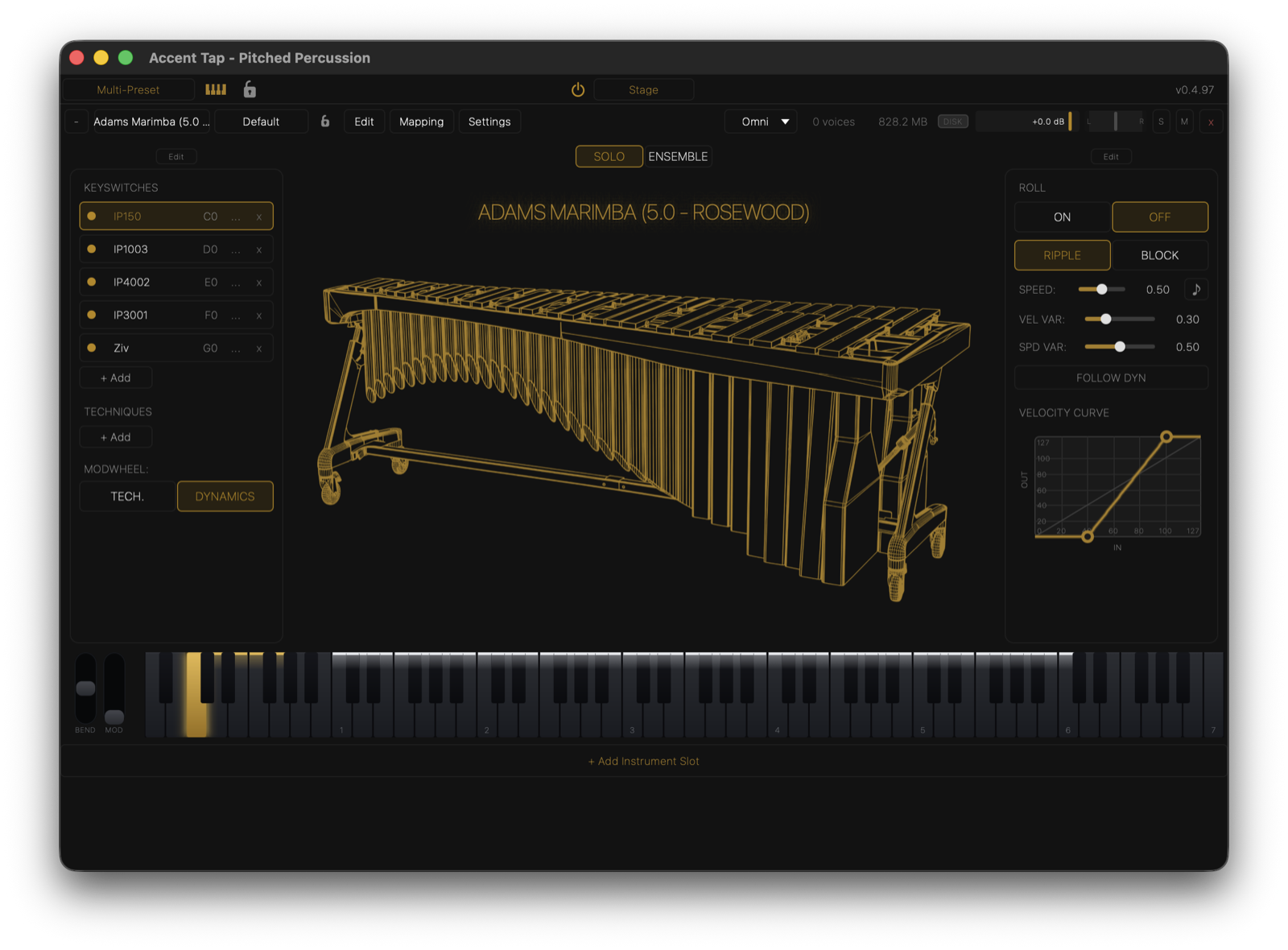
The Accent Tap Sampler
Everything you play is on one page: mallet changes, deadstroke and shaft strokes, a roll engine that can speed up as you play louder, the vibraphone motor, tone controls, and a velocity curve you can draw.
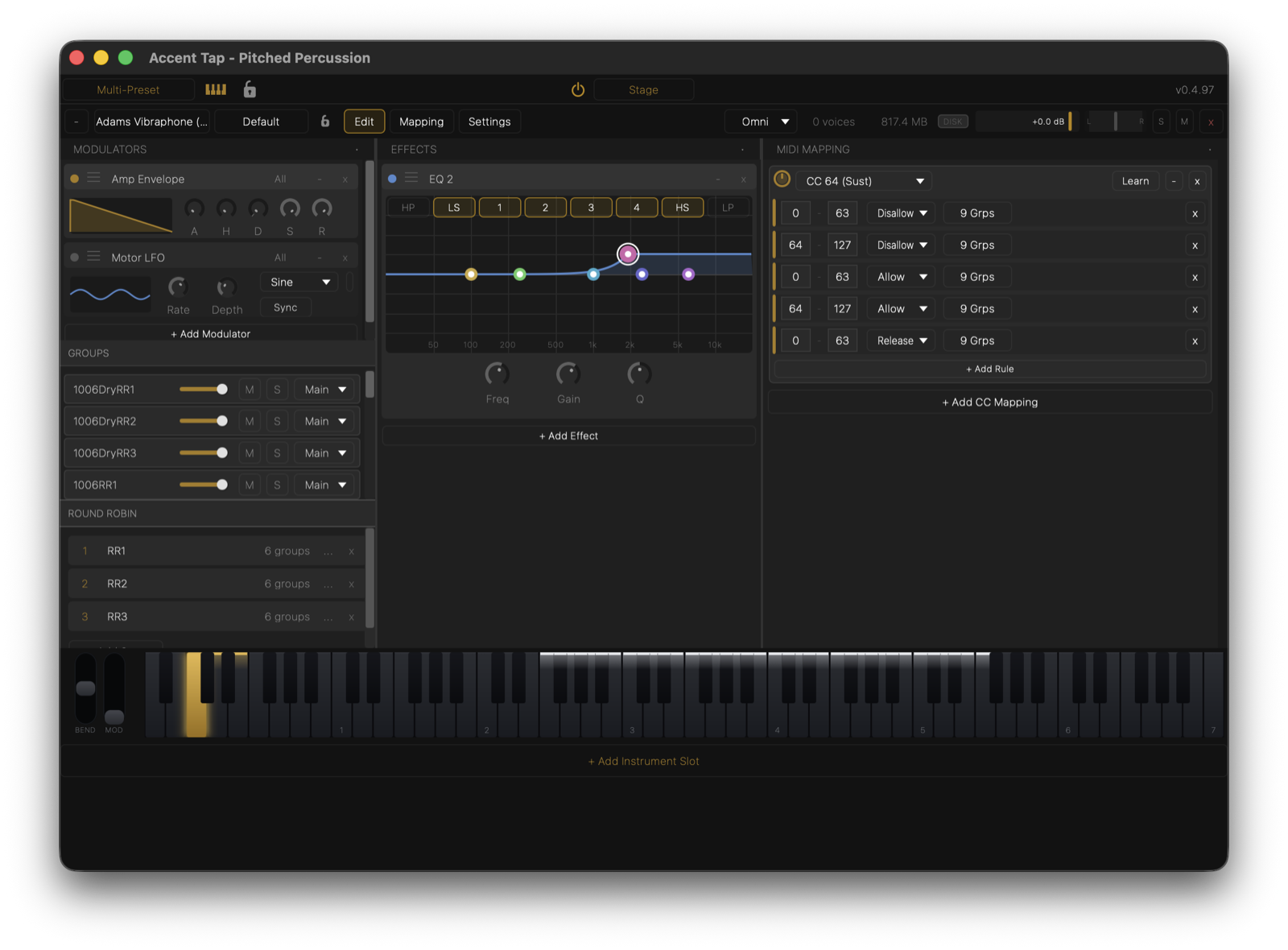
Under The Hood
Open the Edit page for envelopes, the motor LFO, EQ, compression and reverb, per-group mixing, round robin and your own MIDI mapping rules — all saved with the preset.
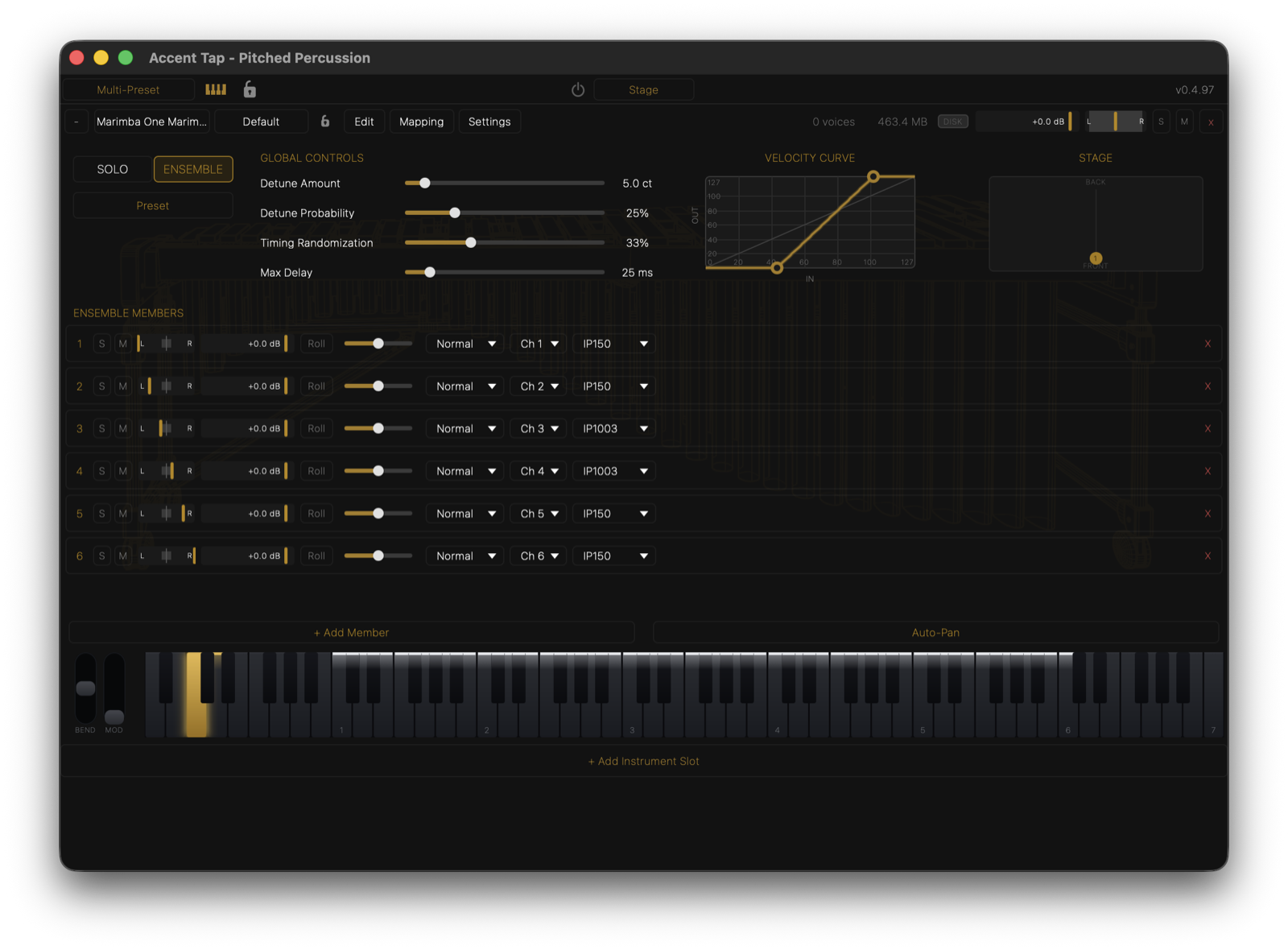
Ensemble Mode
Turn one instrument into a section of up to 16 players, each with its own mallet, technique, roll and MIDI channel. Detune and timing make it sound played, and the section stays level as it grows.
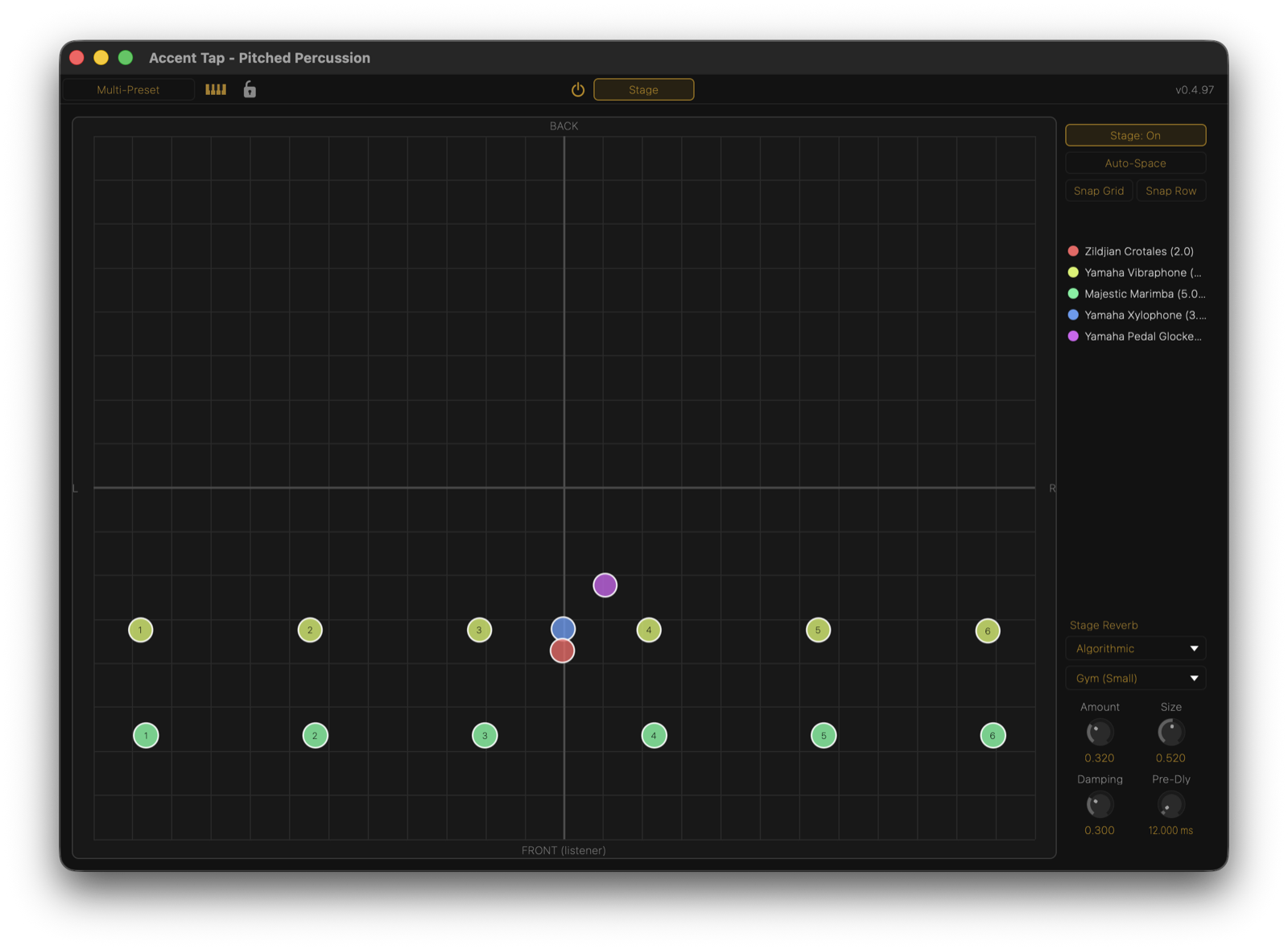
The Stage
Place every player in one room. Drag them anywhere or let Auto-Space arrange them — distance makes a player quieter, narrower, darker and wetter, so the back row sounds like the back row.
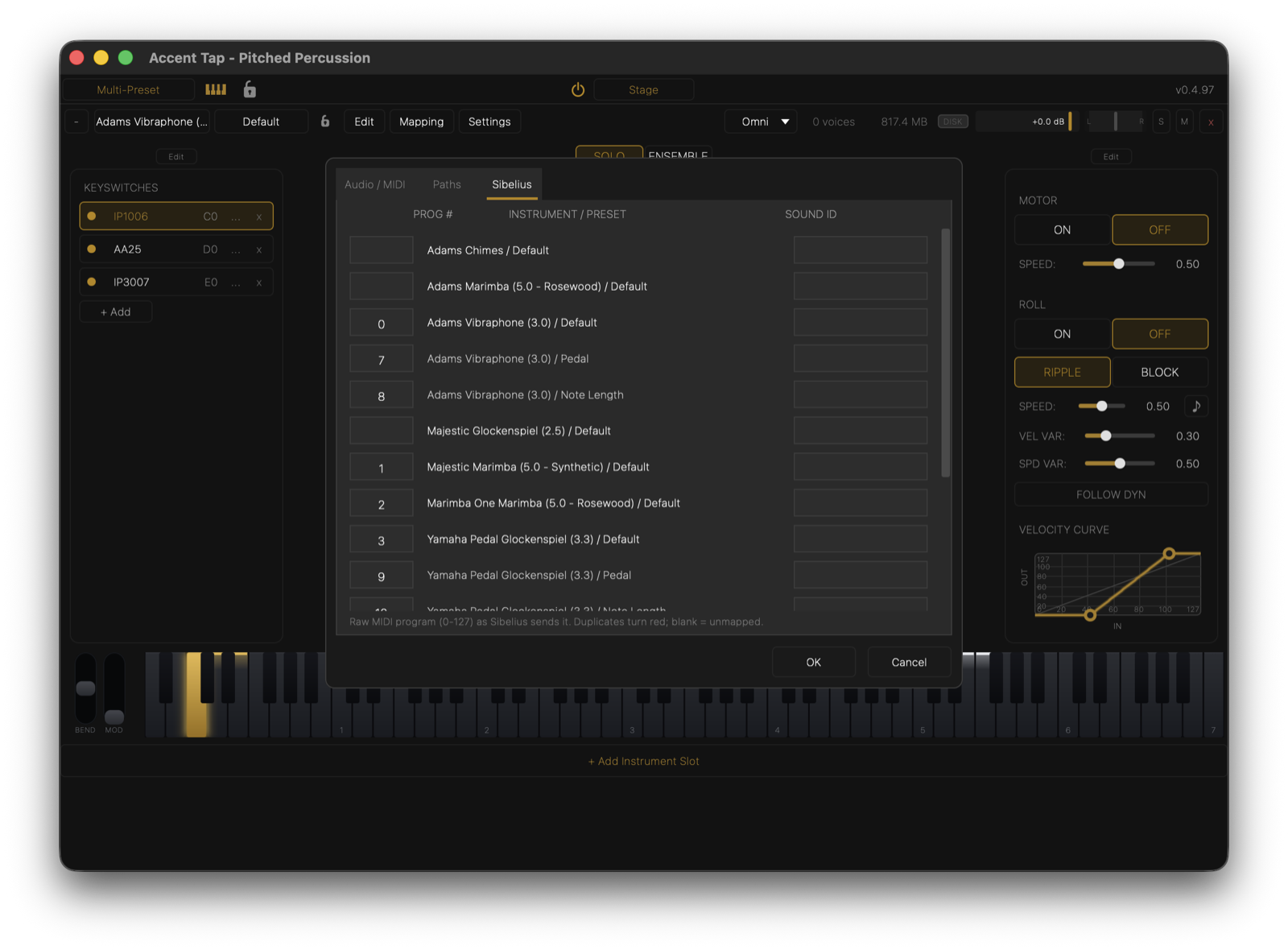
Built for Sibelius
Add a staff and press play: the right instrument loads, staves of one instrument become a section, and everyone takes their place on the stage. Your markings play too — mallet changes, three-slash tremolos as real rolls, staccatos and X noteheads as deadstrokes, pedal lines, and hairpins through rolls. Converting an older score takes one plugin.
Specs
- VST3, AU, and standalone versions
- 2+GB of 24-bit / 48kHz samples, compressed and packed into a proprietary container
- Compatible with macOS 26+ (untested on earlier macOS versions)
- Installed, licensed, and updated through the free Accent Tap Hub